
The diff tool built for PowerBuilder.
pb-diff compares every PowerBuilder object type the way PowerBuilder builds it. For you, for your AI agents and for your CI pipeline.

Every change in its place.
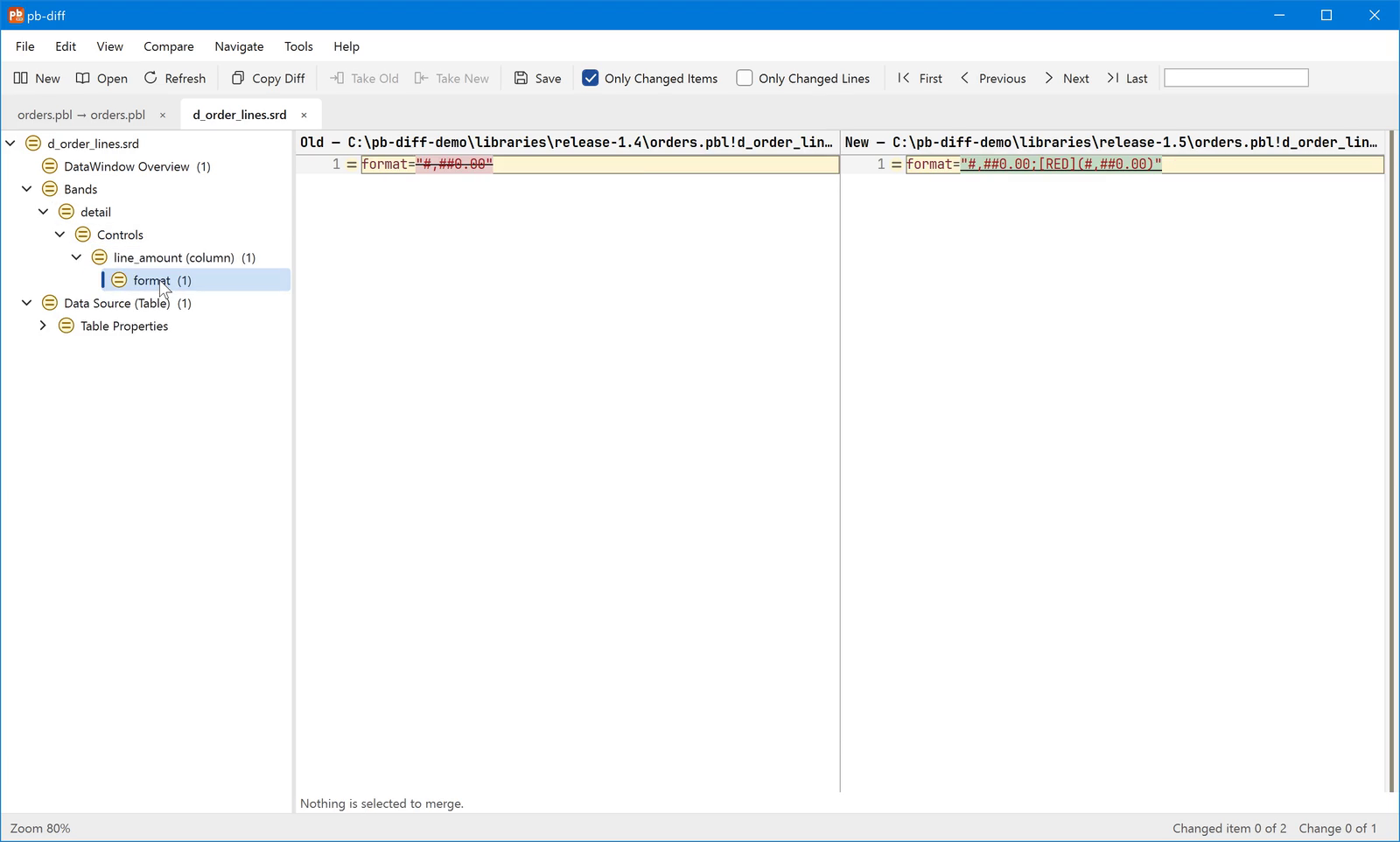
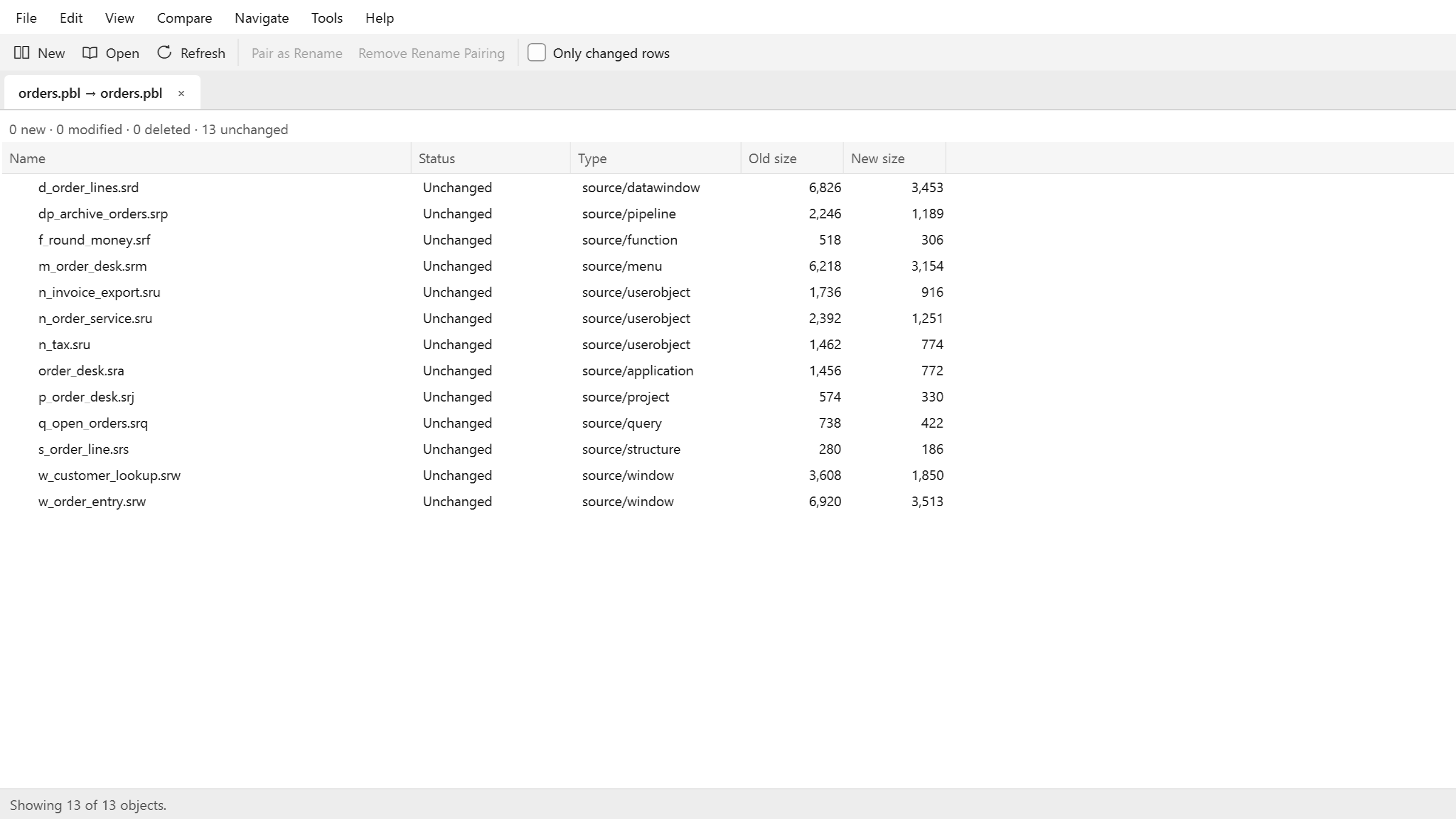
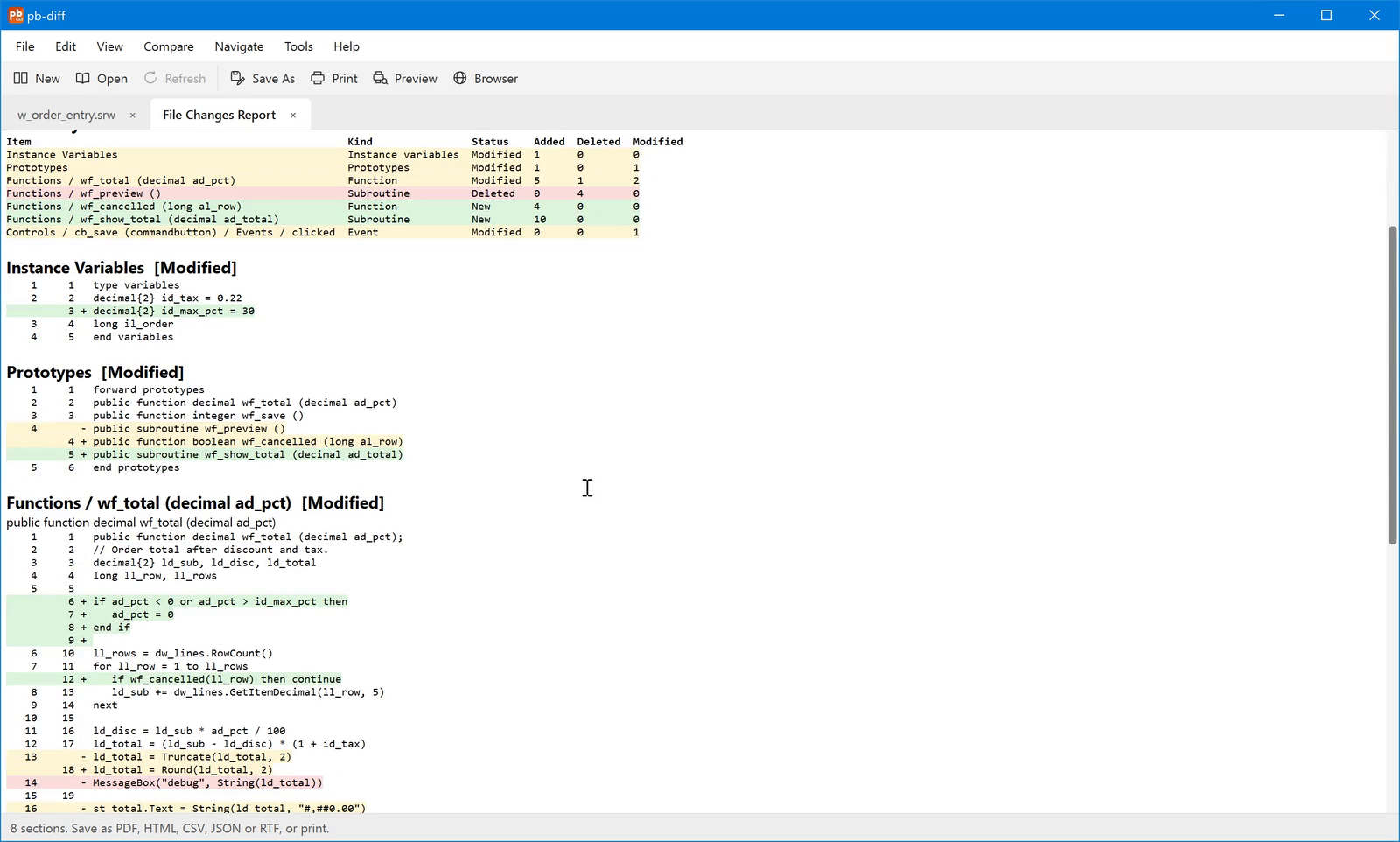
pb-diff shows every change where it belongs: in a function, an event, a control, or a single DataWindow property. It compares PBL files directly, without exporting anything.
A diff tool designed for AI coding agents.
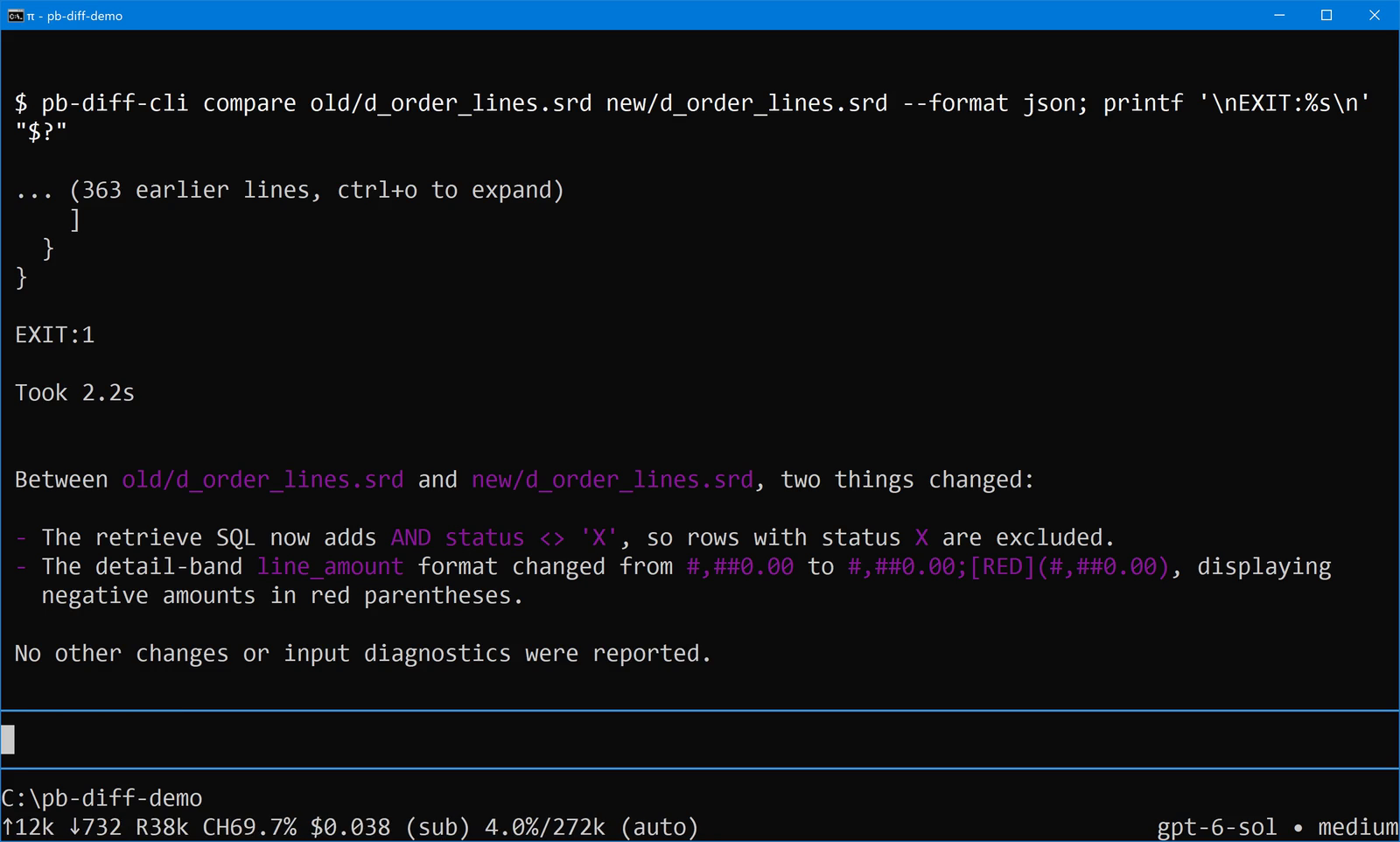
An agent working on PowerBuilder code can call pb-diff-cli instead of reading raw exports. It gets the object hierarchy and the changed functions, events, controls, properties and lines as versioned JSON, with documented exit codes and published schemas.
Check every build in the pipeline.
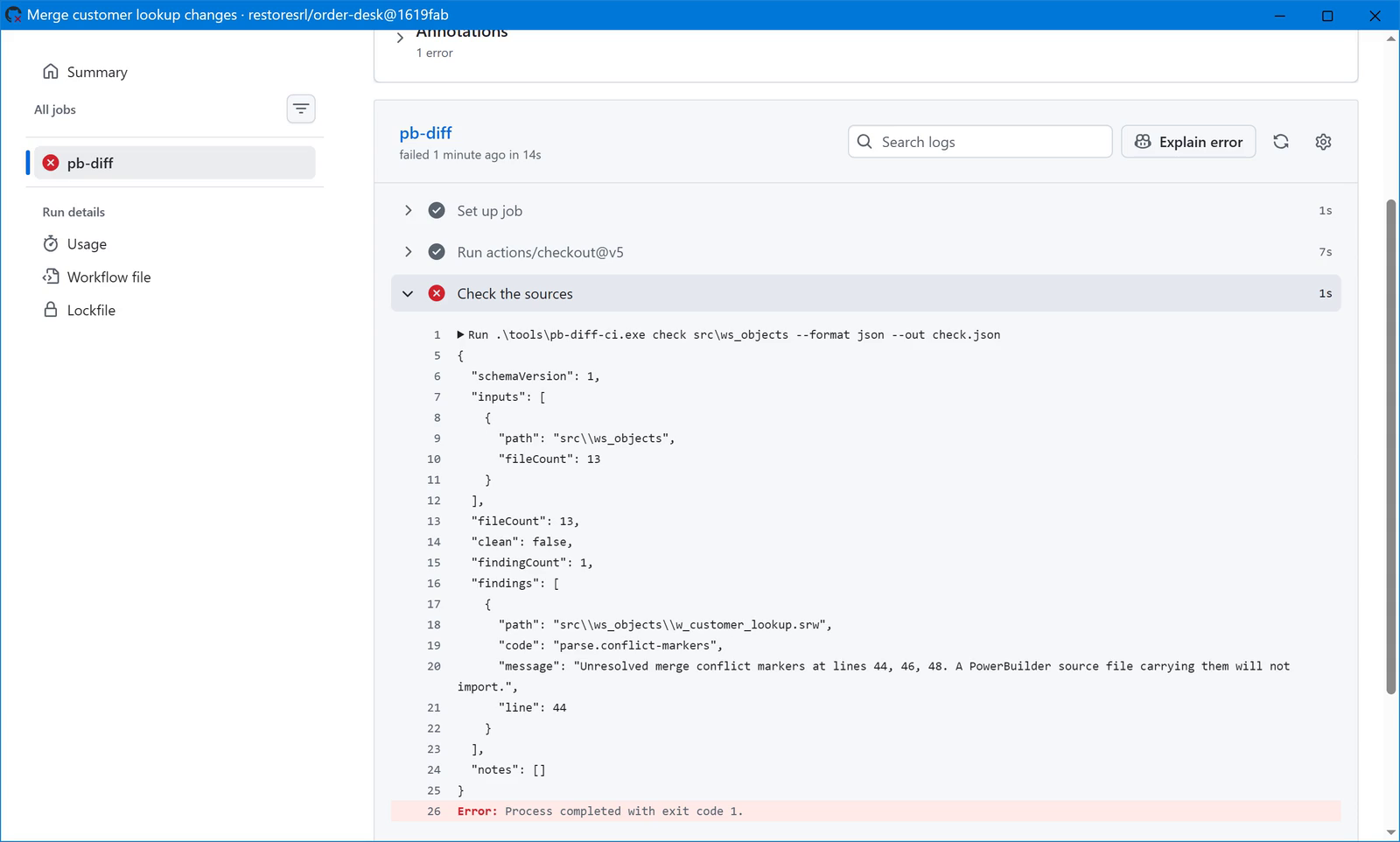
pb-diff-ci is pb-diff's command-line tool for build servers: a single file to copy onto each build machine, hosted runners included, with no licence to manage and no network connection.
It stops the pipeline on changed objects, on a damaged library or on sources a merge left broken.
Your build tells you whether the application compiles. pb-diff-ci tells you which objects changed.
A view for each object and file type.
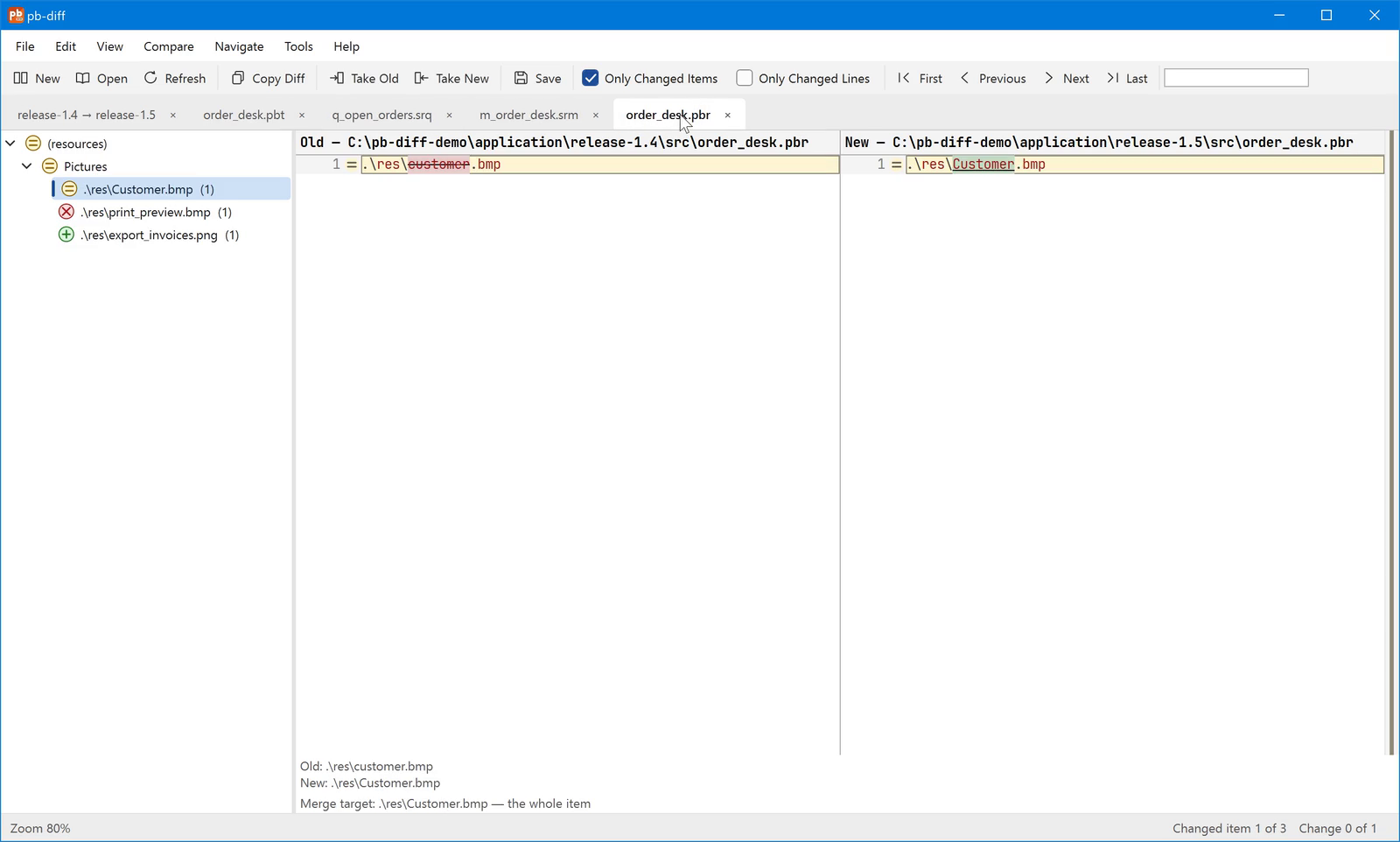
pb-diff is built to compare every PowerBuilder object type (Application, Window, DataWindow, UserObject, Function, Menu, Structure, Query, Pipeline, Project) and file type (.pbl, .pbd, .pbw, .pbt, .pbsln, .pbproj, .pbr, .gen) by its own structure, and shows each change in the part it belongs to.
Merge the work of several developers.
Run a three-way merge from a common base: changes made on one side only are applied, and conflicts are listed by function, event or control for you to decide.
pb-diff never writes conflict markers into PowerScript.
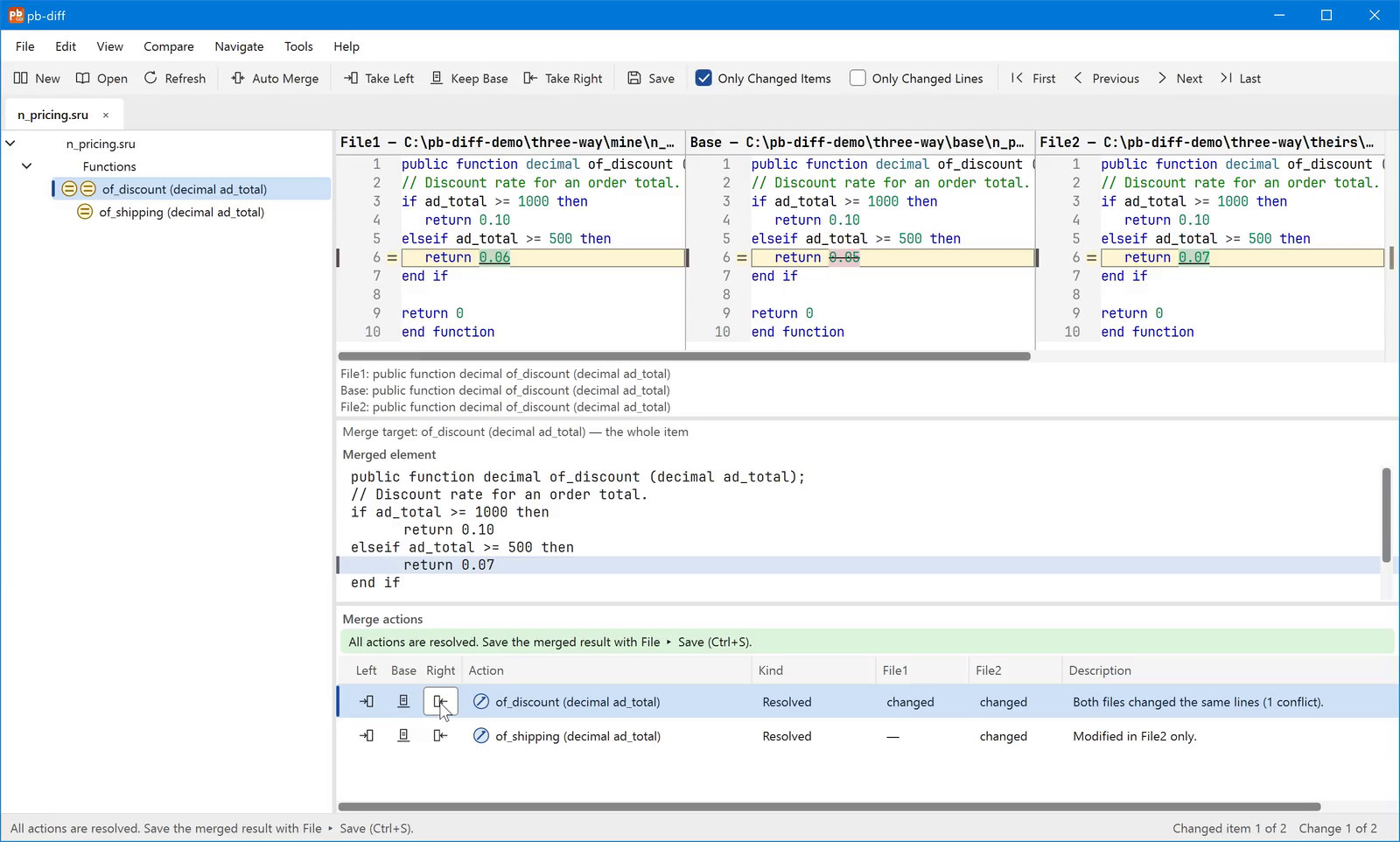
Review Git or SVN changes from the IDE.
From the PowerBuilder IDE, pb-diff shows the Git or SVN changes of your workspace or Solution. It can also be the diff and merge tool of your Git or SVN client, such as TortoiseGit, TortoiseSVN or Git Extensions.
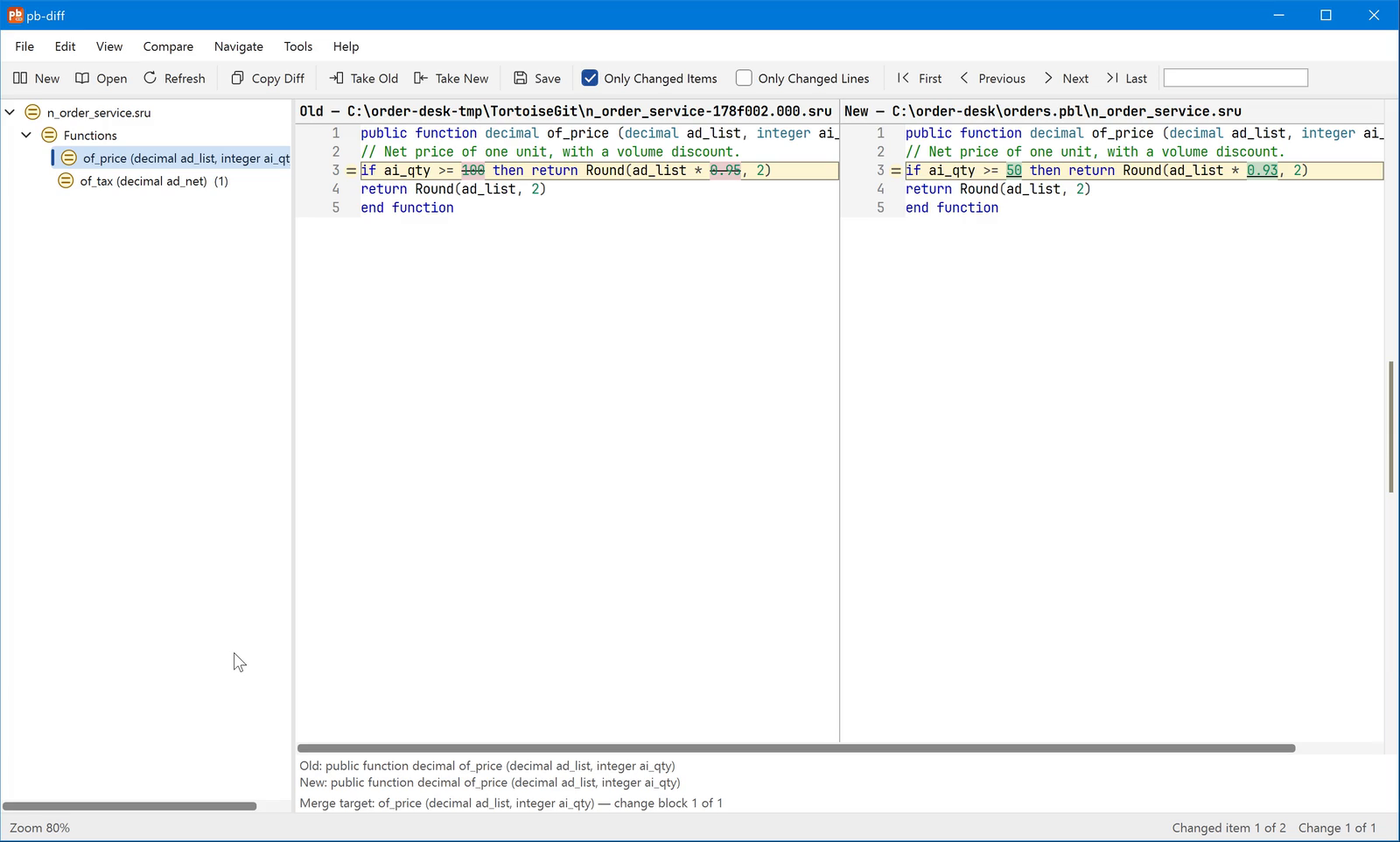
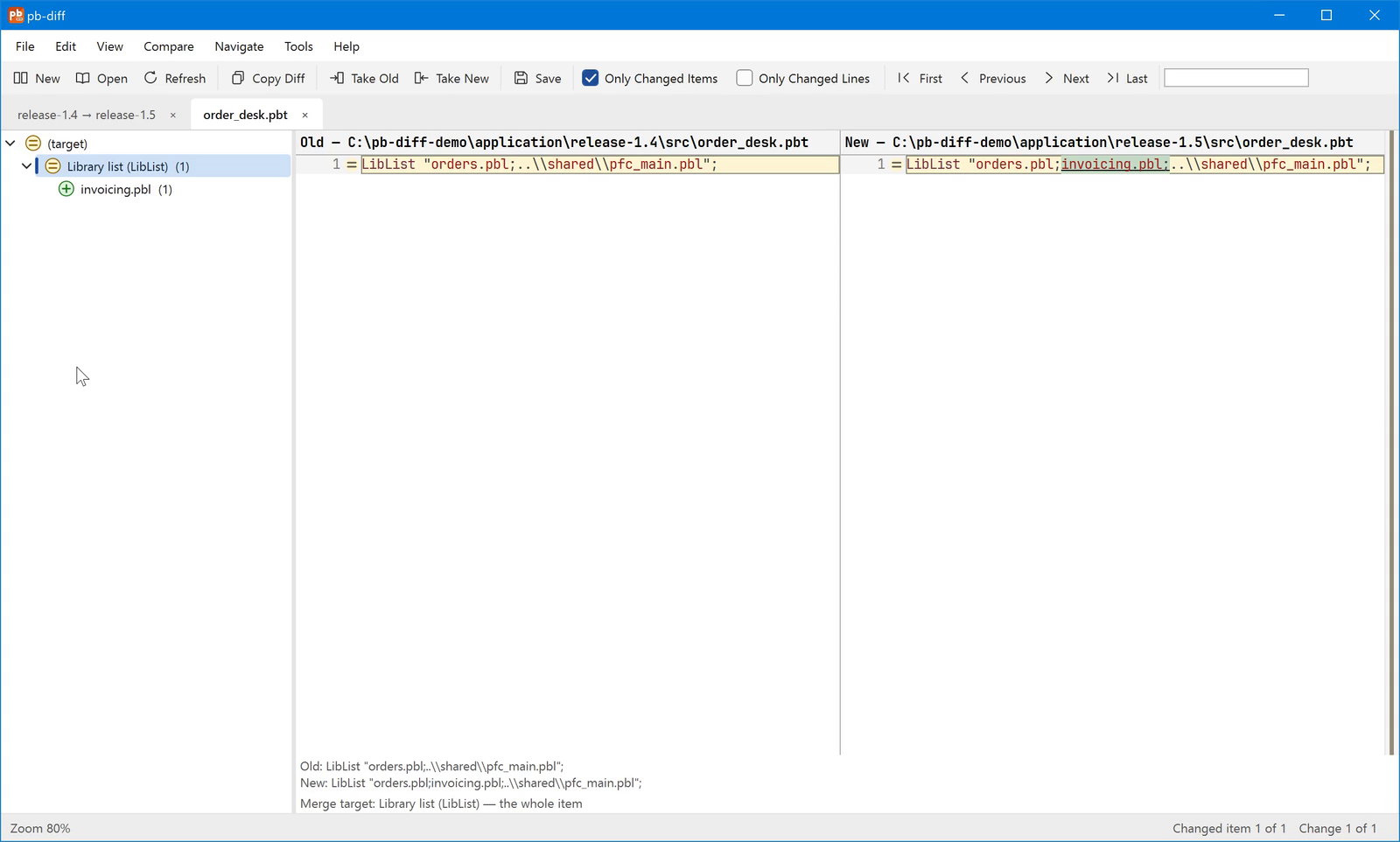
Compare two whole versions.
pb-diff compares two versions object by object, and shows what changed in the build too: the library list, the targets and the resources.
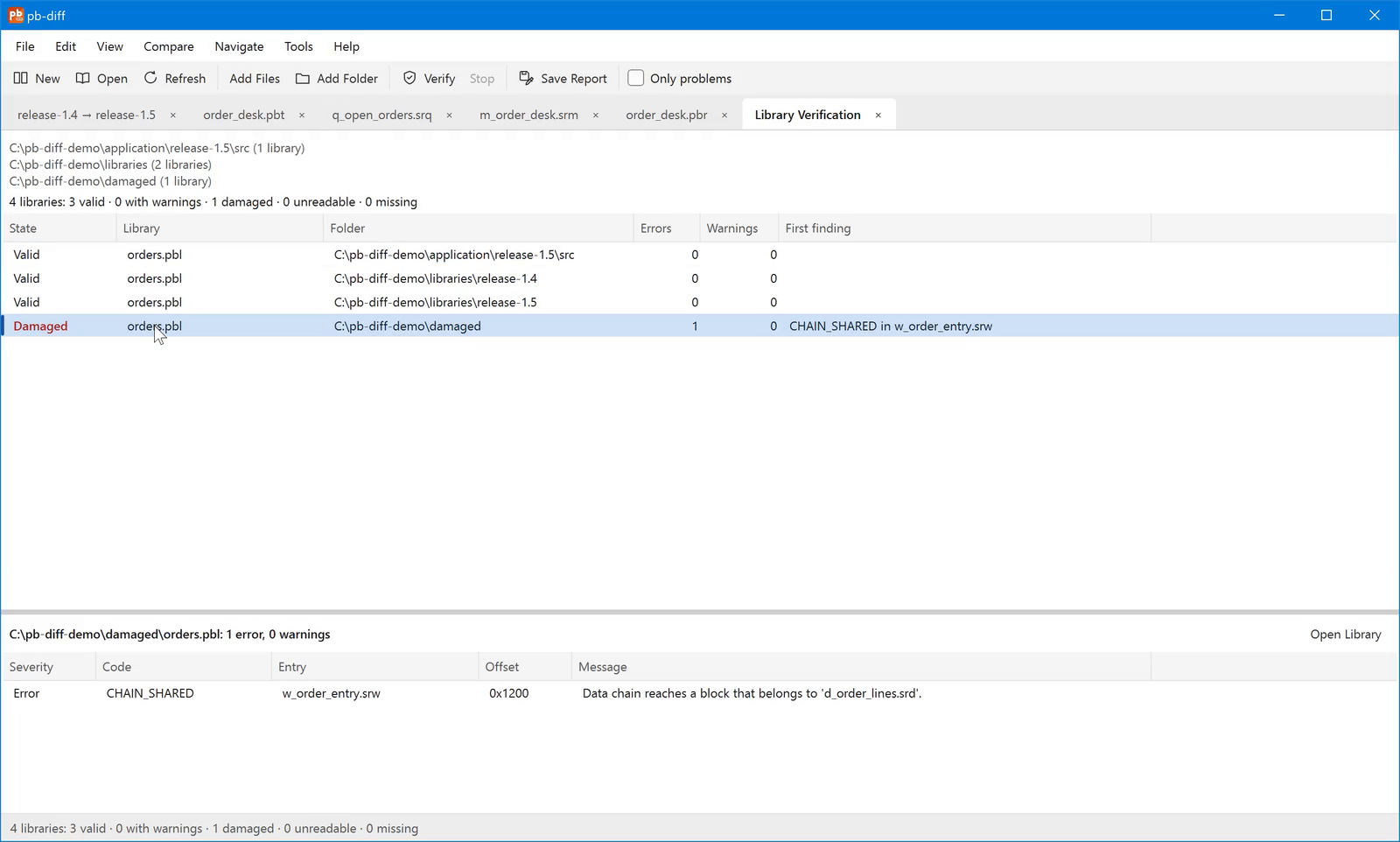
Find damaged libraries.
pb-diff checks many libraries at once, from a whole workspace to the archived copies of a series of builds, and points out the damaged ones and the objects affected.
Compare and merge PowerBuilder Solutions.
pb-diff compares and merges Solution sources with the same views as libraries and exports, and a merged file keeps the Solution's own format. Moving from a workspace? Unchanged objects compare identical, though every file was rewritten.
Report what changed.
pb-diff produces reports and summaries in several formats (PDF, HTML, CSV, JSON, RTF and Markdown), from the desktop, the command line or your CI pipeline.
What pb-diff can compare.
| Objects | Any PowerBuilder export (.sr*), library entry or Solution source, with each change in its function, event, control or property. |
|---|---|
| Libraries | .pbl, .pbd and libraries appended to .exe or .dll files, always opened read-only. Compiled objects are compared by metadata or bytes, never decompiled. |
| Folders and whole releases | Libraries, exports and build files together, in any mix: a library against a folder of exports, or two application folders side by side. |
| PowerBuilder 2025 Solutions | A Solution against another, or a classic .pbl against its migrated Solution. Verified with PowerBuilder 2025 R2. |
| DataWindows | Bands, controls and every property, the database columns and the retrieve SQL. |
| Queries and pipelines | SQL by clause: tables, columns, joins, conditions, grouping, ordering and arguments. Pipelines by source and destination columns. |
| Build files | Workspaces (.pbw), targets (.pbt), Solutions and projects (.pbsln, .pbproj, .srj) and resource files (.pbr): targets, library lists, projects and settings. PowerGen .gen on a best-effort basis. |
| Three versions | Yours, the base and theirs, for a three-way merge with conflicts listed by function, event or control. |
| Renamed objects | Paired as one when you say so; a rename is never guessed. |
| Damaged libraries | Checked block by block and reported, never repaired. |
| Other files | XML/XAML, JavaScript and INI by structure; HTML and any other file as text. |
| Two pieces of text | Pasted from the clipboard, or two lines side by side, down to the character. |
Works with PowerBuilder 10 and later.
pb-diff compares the libraries and sources of PowerBuilder 10 and later, and reads those of PowerBuilder 5 to 9 on a best-effort basis. Merged sources import into PowerBuilder 19 and later. It runs on Windows 10 and 11, and on Windows Server 2016 and later.